
You asked, we listened. We’re always looking out for your feedback and ways to improve, so we came back with the release of our newest update: IrisVision 3.5! IrisVision Vista is a wearable, hands-free low-vision headset controlled by voice or a simple remote — and these new features make it even more intuitive and comfortable to use.
1: Amazon Alexa Smart Voice Commands
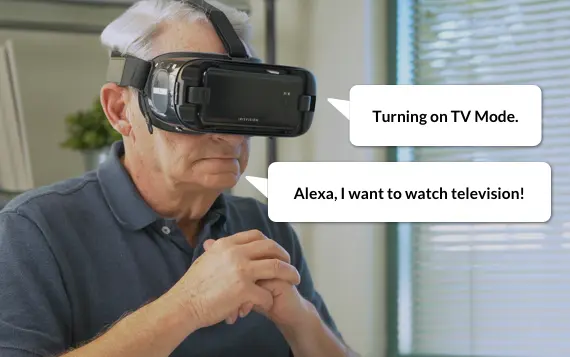
Due to popular demand, we’re bringing the world’s most intuitive virtual assistant to IrisVision. * It’s easier than ever to engage with the world and get things done.
-
Ask Alexa about the weather forecast, news, sports and more!
-
Alexa can also tell jokes, stories, and even tell time.
*You will need to set up or use your own Amazon account to activate this feature.
2: Smart Voice Commands
IrisVision just got SMARTER! and now understands phrases or words intuitively, without the need to use specific language. Here are some examples:
-
Simply enable voice prompts and say “battery”, “volume”, “brightness” to get more information on them.
-
Make text-to-speech speed faster or slower by saying “increase/decrease speed”.
-
Change the screen contrast in any mode by saying “increase/decrease contrast”.
3: Bookmark Videos

Do you have a list of your favorite YouTube videos? Now you can bookmark them to view them easily.
-
Pressing the snapshot button while the video is playing will allow you to bookmark the video.
-
Your bookmarked videos will always appear first when you enter the Video Player mode.
4: TV Exposure Presets
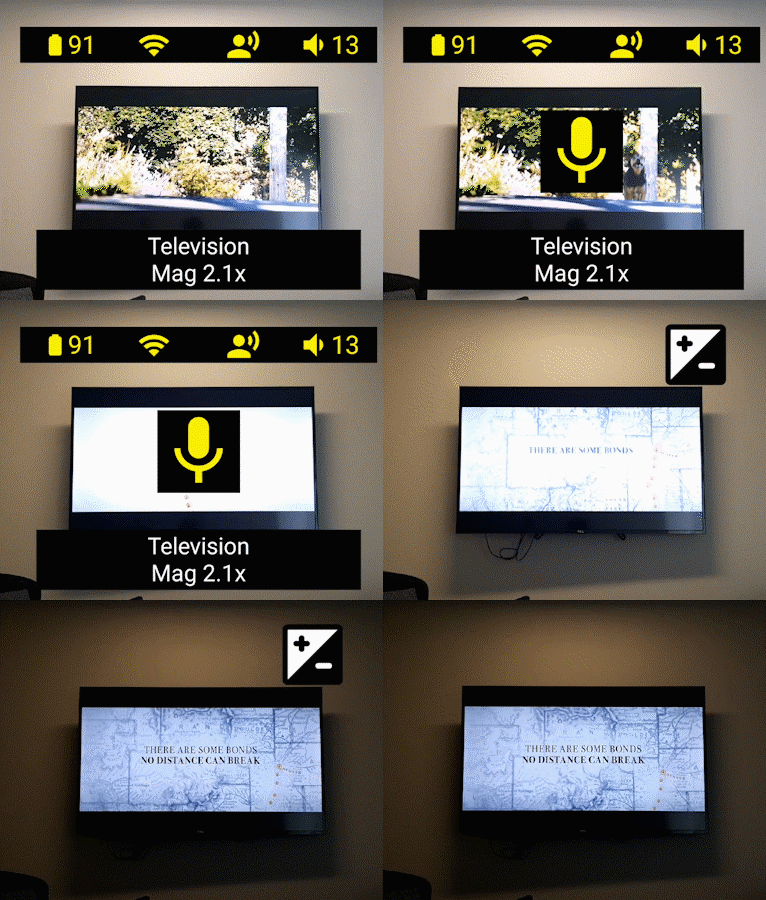
Experience enhanced TV mode with any level of background light and screen settings on televisions and monitors.
- You no longer have to optimize the settings on your TV. In TV mode, simply enable voice prompts and say “increase/decrease exposure”.
5: Bubble View Magnification Bar Positioning
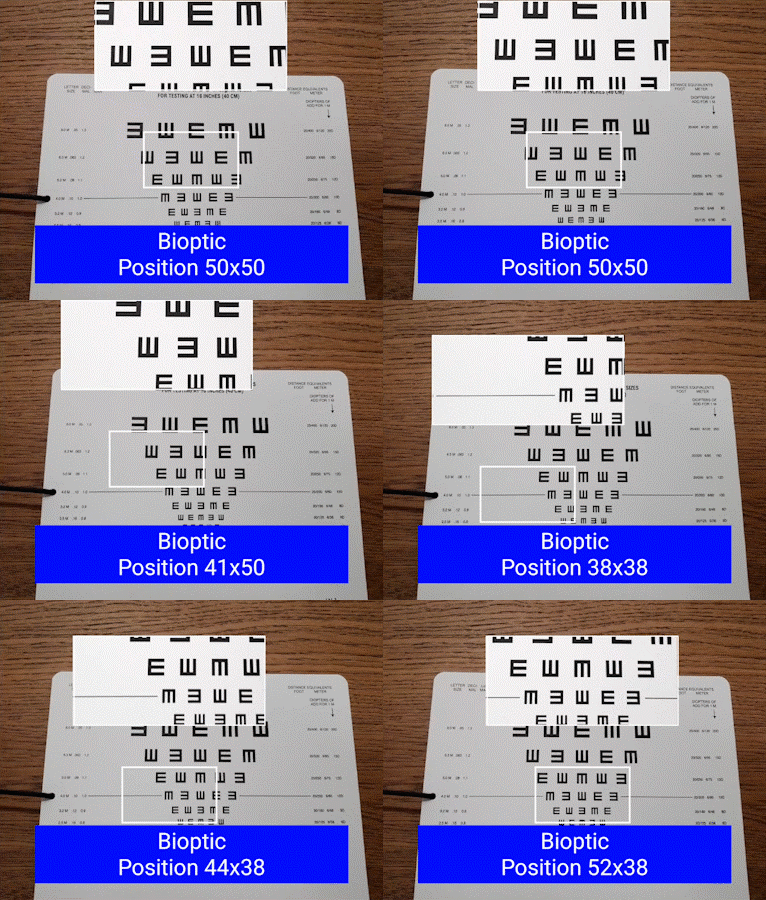
You can now adjust the Bubble View magnification bar anywhere on the screen.
- This can be changed in the configuration settings in Bubble View, very similar to the Scene with Bubble’s bubble positioning.
IrisVision is more than just a product to enable people to see. We’re building an entire ecosystem of features to create a “smart device” to make life easier for those with low-vision and help them do the things they love. Have ideas of what you would like to see next or have any feedback? Send your thoughts to support@irisvision.com. IrisVision is dedicated to help you see clearly and live fully!