A low vision aid is any tool that makes remaining sight more usable for a real task: reading a label, recognizing a face, watching television, or seeing across a room. The National Eye Institute describes low vision as eyesight that cannot be fully corrected with glasses, contact lenses, medication, or surgery. An aid does not repair the retina or the optic nerve. It changes what reaches the eyes you still have, or it takes over a task those eyes cannot finish.
People search “low vision aids” when ordinary glasses have stopped being enough. The useful question is not “what is the strongest magnifier?” It is “which job am I failing, and which tool fits that job?” A lamp, a handheld magnifier, a desktop video magnifier, and a wearable headset are different answers.
This guide walks those choices in the order most people meet them. IrisVision Vista is the wearable at the end of that path: a camera-and-display headset for reading, distance, television, and faces, with contrast and color controls, voice control, and personal coaching. Magnification is one of its tools. It is not the product.
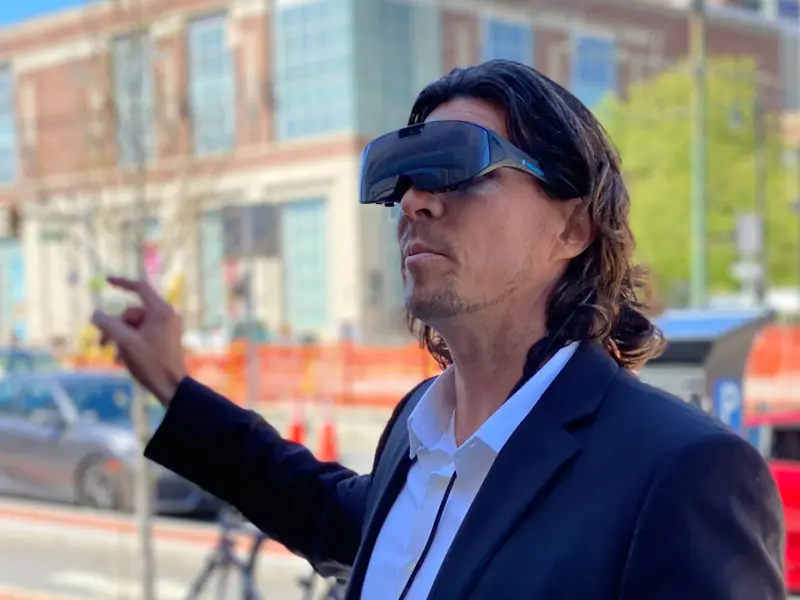
What counts as a low vision aid
Clinics and catalogs group aids roughly like this:
- Optical aids — prescription updates, high-add readers, handheld and stand magnifiers, telescopes for distance.
- Non-optical aids — task lamps, large print, felt-tip pens, high-contrast labels, typoscopes (a card with a slit that isolates one line).
- Electronic aids — video magnifiers that put an enlarged, higher-contrast image on a screen.
- Wearable electronic aids — a camera and a display you wear, so both hands stay free and the same device covers near and far.
- Audio and tactile tools — screen readers, talking devices, and glasses that describe a scene aloud. These help when usable sight is very limited. They are a different job from enhancing an image.
A stronger pair of everyday glasses is worth getting. Uncorrected blur stacks on top of retinal or nerve damage. It is still not a low vision aid in the sense this page means. If a new prescription barely changes the mail, the next step is a low-vision evaluation, not another identical pair.
Handheld and stand magnifiers
A handheld magnifier is the first thing most households try. It is cheap, it needs no training, and it works for a price tag or a pill bottle. The limits show up the moment the task lasts more than a minute.
You give up a hand. The working distance is short, so posture collapses over the page. The lens has to stay at the right height or the letters smear. Shake, glare, and a small field of view make newspapers and books tiring. A stand magnifier fixes the distance and frees the grip, then ties you to a desk.
These are honest tools. They are the right aid for a quick look. They are a poor aid for an hour of reading, a menu in a dim restaurant, or a grandchild’s face across the table. Our guide to reading devices stays on that reading-specific list, including lamps and desktop magnifiers. This page is the wider category.
Desktop video magnifiers
A desktop video magnifier (often called a CCTV in clinic notes) puts a camera over a page and a large screen in front of you. Magnification can be high. Contrast can be reversed so print becomes light letters on a dark field. Many people read longer on one of these than with any lens.
The tradeoff is the furniture. The device stays on a table. It does not come to the kitchen counter, the church bulletin, or the television across the room. Families sometimes buy one, use it for bills, and still need a second aid for everything that is not flat on that desk.
If your life is mostly seated reading in one room, a desktop magnifier can be enough. If the hard tasks move around the house, a device that only works in one spot will feel like half a solution.
Lighting, contrast, and large print
Before any electronics, lighting and contrast still change what a damaged eye can use. A focused task lamp often helps more than another diopter of magnification. High-contrast settings on a phone, large-print books, and a typoscope are real aids. They cost little and they do not replace a device when the print is still too small or the face is still too far.
Glare control matters just as much. Some people need more light. Others are washed out by it. That is why “brighter” is not a universal prescription, and why contrast controls on an electronic aid matter as much as zoom.
When magnification is the wrong tool
Magnification makes a small piece of the world larger. It also makes the field of view smaller. Someone with a central blind spot from macular degeneration may need to look slightly beside a word (eccentric viewing) rather than stare straight at it. Someone with tunnel vision from glaucoma or retinitis pigmentosa may need the opposite: a wider, more usable field, not a tighter zoom. Someone with very little remaining sight may get more independence from audio than from any enlarged picture.
A catalog that only ranks aids by “times magnification” misses those differences. Zoom is one control. Contrast, color, field of view, and whether your hands are free are the others.
Wearable headsets
A wearable low vision aid puts the camera and the display on your head. You look at an enhanced live image. Both hands stay free. The same device can enlarge a page, a face a few feet away, or a television across the room, then change contrast and color when the room lighting changes.
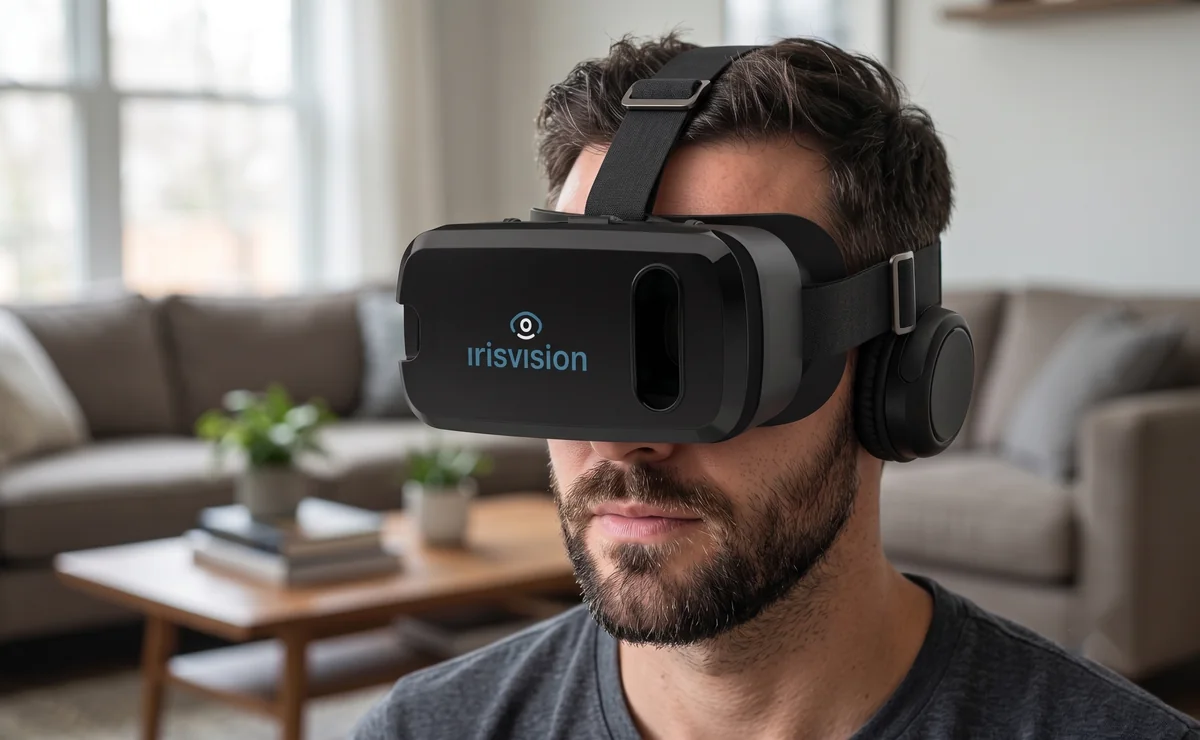
That is the category IrisVision Vista is built for. It is a headset, not a pair of ordinary spectacles. The camera sees what is in front of you. The display shows a processed picture to the eyes that still work. You control it by voice, through the Iris assistant, or with a simple remote. Wi-Fi is optional.
What that means in practice:
- Zoom, up to 14×, with auto-focus — for print and for distance, not as a single “max power” setting you leave on all day.
- Contrast and color — so washed-out print or a glarey room can be retuned, not only enlarged.
- Reading modes — including a highlighted line so you can keep your place, which is the electronic version of a typoscope.
- Scene, television, and field-of-view modes — distance viewing, watching a show inside the headset, and options for narrowed side vision. Magnification is not asked to do those jobs alone.
- Iris, the voice assistant — zoom, mode changes, and reading a page aloud with on-device text recognition, without hunting through menus.
- Personal coaching — one-on-one help from people who use the device themselves, so the first week is not a manual.
Vista does not treat the disease that caused the vision loss. It does not replace a retina specialist or a low-vision clinic. It is for sitting and standing tasks. Do not wear it while walking or driving. The Vista user guide states that limit plainly.
If almost no usable sight remains, a headset that depends on showing you an image is the wrong aid. Glasses and devices that talk — reading text aloud, describing a scene — serve that situation better. We cover that split on smart glasses for the blind.
How to choose
Start with the task you are abandoning, not with a brand list.
| The task that is failing | Usually try first | When it stops being enough |
|---|---|---|
| A price tag or a label | Handheld magnifier and a good lamp | The task lasts, or you need both hands |
| Bills and books at a desk | Stand magnifier or desktop video magnifier | You also need faces, TV, or other rooms |
| Glare and faint print | Lighting, contrast, tints from a clinic | Letters are still missing, not just dim |
| Faces, TV, and print around the house | A wearable camera-and-display headset | Little usable sight remains — consider audio tools |
| Print when sight is almost gone | Audio reading, screen readers | You still have usable vision and want to see the page |
A low-vision clinic can measure what is left, try high-add lenses and lighting, and teach viewing strategies. Bring that report if you talk to us. Take the suitability quiz if you want a first filter, then see Vista or ask for a consultation. Pricing is on the pricing page.
Related guides, if you arrived here from a more specific search:
- Low vision glasses, including glasses for the visually impaired
- Macular degeneration glasses
- Electronic glasses for the blind and visually impaired
- Reading devices
Conditions people use these aids for
An aid does not treat the disease. It helps with the sight that remains. The same headset is used across different losses, with different settings:
- Macular degeneration — central blur or a blind spot; reading, faces, and television
- Glaucoma — narrowed side vision and contrast, where more zoom is not always the first move
- Diabetic retinopathy
- Retinitis pigmentosa
- Stargardt disease
- Cataracts
- Optic nerve damage
Frequently asked questions
Are low vision aids the same as reading glasses?
No. Reading glasses and an updated prescription correct focus. A low vision aid helps when focus is already as good as it can be and the eye or the nerve still cannot deliver a clear image. Many people need both: a current refraction, and then an aid for what the refraction cannot fix.
Do low vision aids restore vision?
They do not regenerate tissue or reverse a diagnosis. The useful ones make remaining sight work harder for you — larger, higher contrast, better color, a steadier line of text — or they read aloud when looking is not the right strategy. Independence goes up. The medical chart does not rewind.
Is a magnifier enough?
For short looks, often yes. For reading that lasts, for faces, and for television, a magnifier leaves your hands busy and your field of view small. That is the gap a wearable headset is meant to close, with zoom as one control among contrast, color, modes, and voice.
Who should not buy a wearable headset?
People with almost no remaining sight, who need audio description rather than an enhanced picture. People who only need a quick magnifier for labels. Anyone expecting the device to treat macular degeneration, glaucoma, or another disease. And anyone who needs a walking or driving aid — Vista is not that.
Where should I start?
If ordinary glasses have stopped helping, ask for a low-vision evaluation. If you already know you want to try a wearable, see how Vista works, check suitability, or contact us.